Navigating the Scholar Portal:
Current Opportunity Scholars can access the Scholar Portal on our website for information about their disbursements, requests, deadlines, and other resources. The first time you log in, you will need to reset your password by clicking on the “Forgot Password?” link.
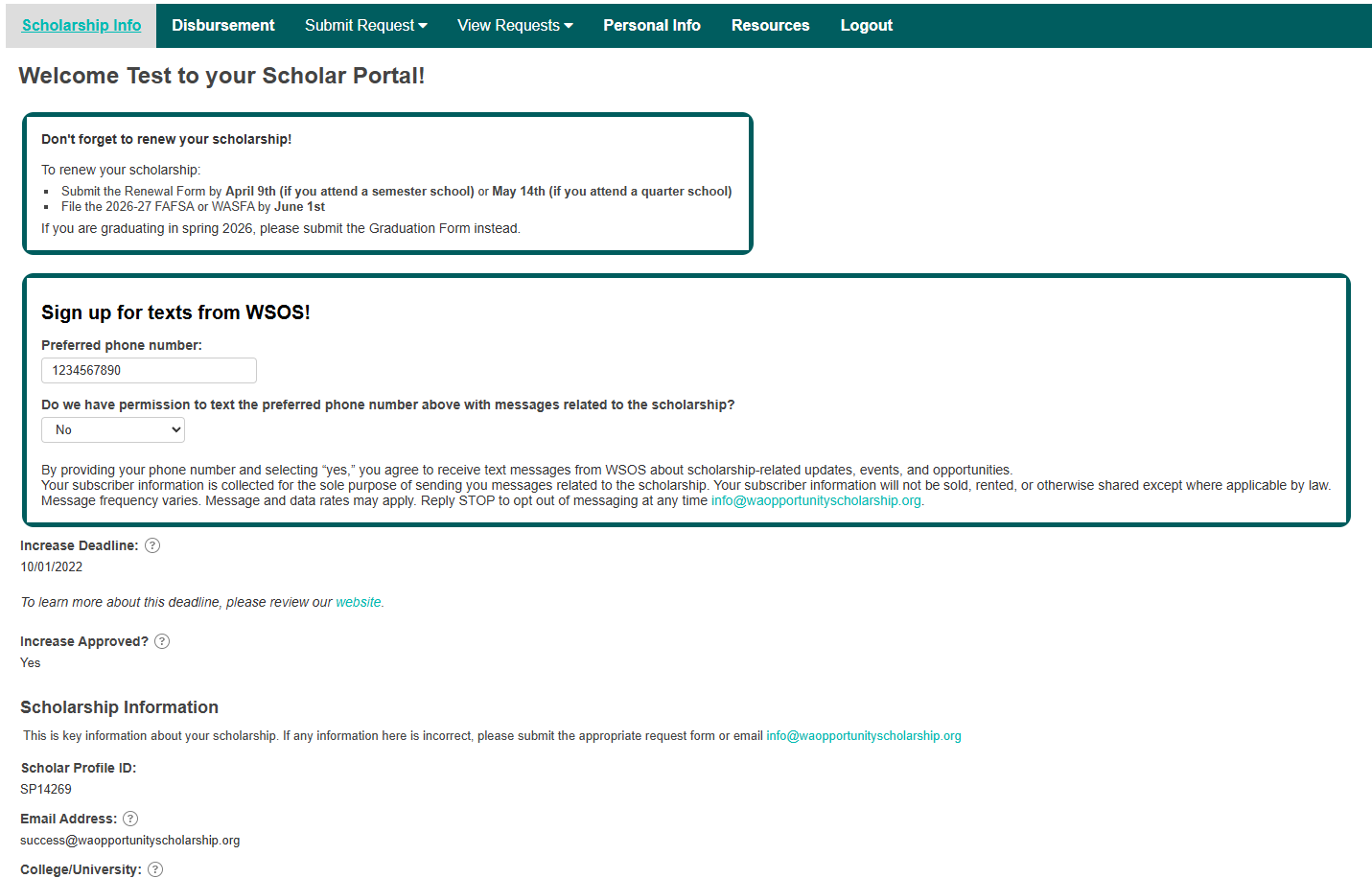
Scholar Portal homepage
Once you are logged in, the first page you will see is the “Scholarship Info” page, where you can view your important reminders, scholarship information, and deadlines.
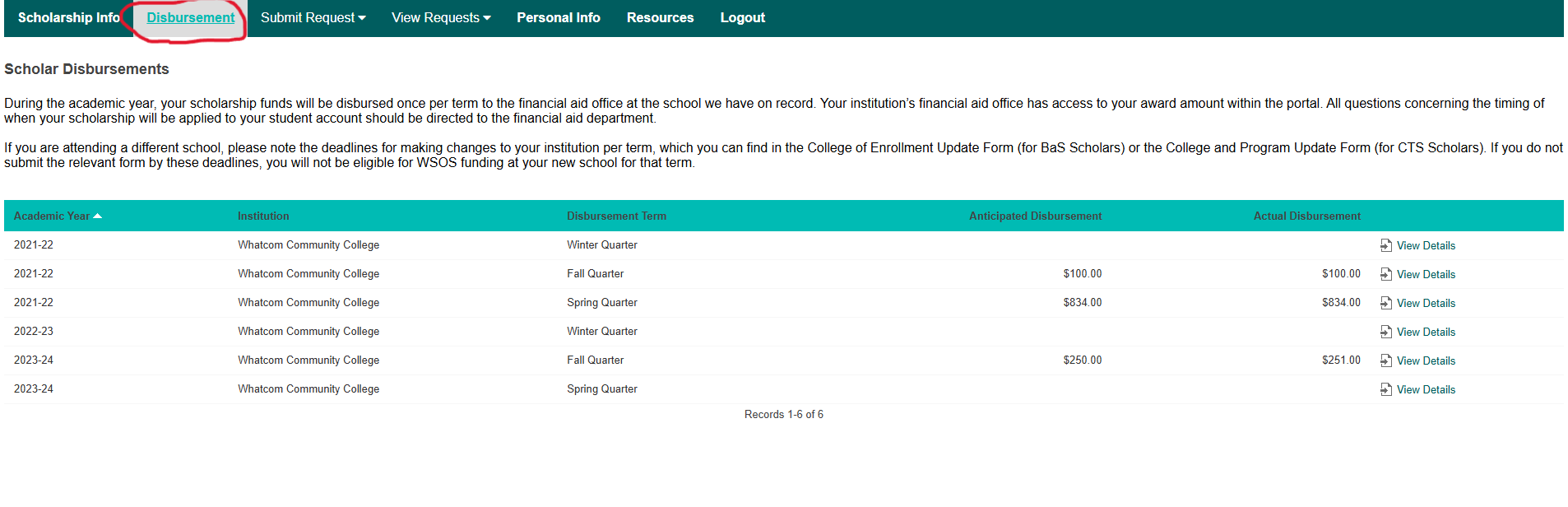
Disbursements page
To view your disbursement history and upcoming scheduled disbursements, click on the “Disbursements” tab from the menu at the top.
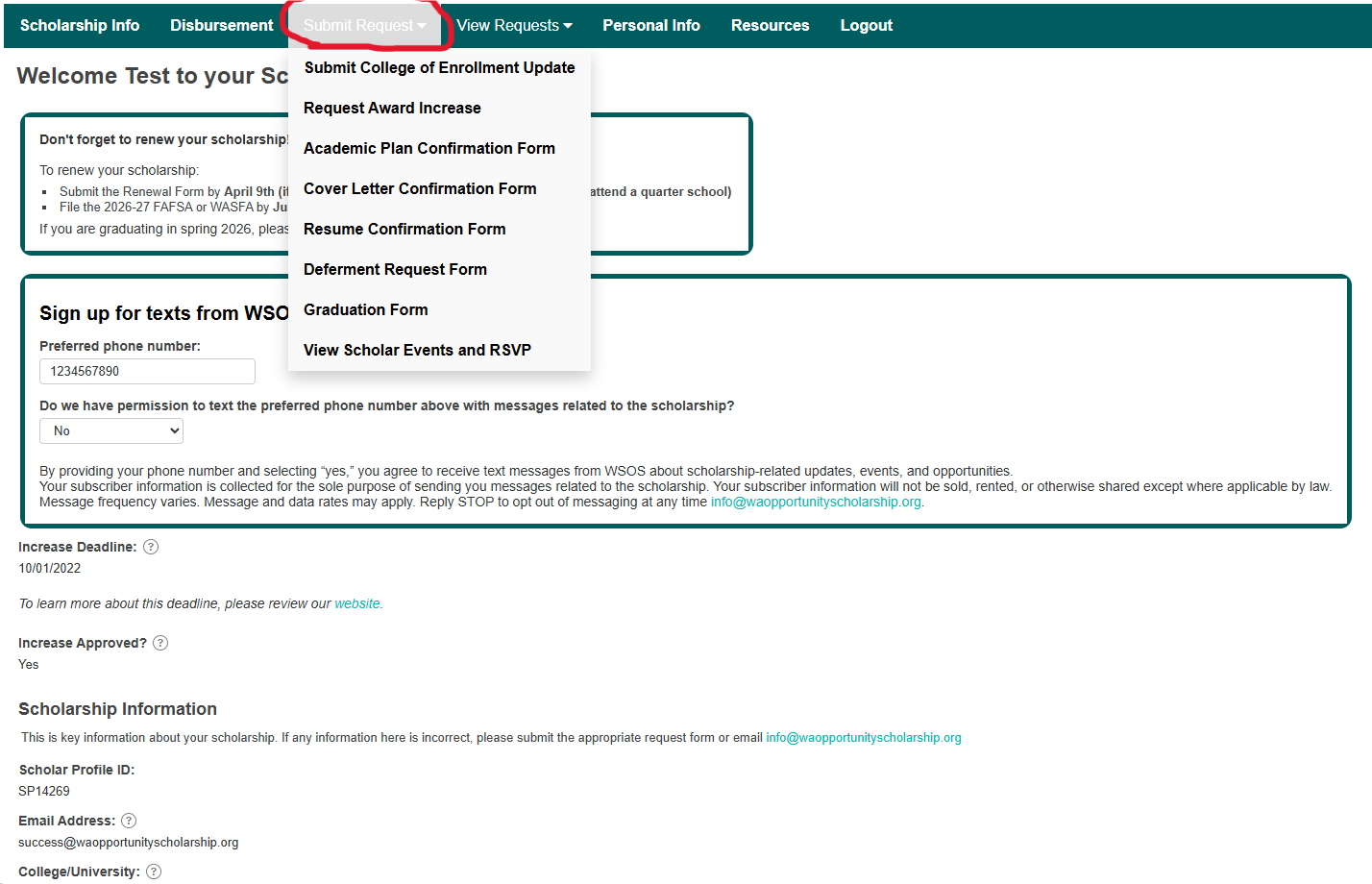
Submit Request page
You can submit any requests or required forms, update your information, and RSVP for Scholar events by hovering over the “Submit Request” tab from the menu at the top, then clicking the options in the drop-down.
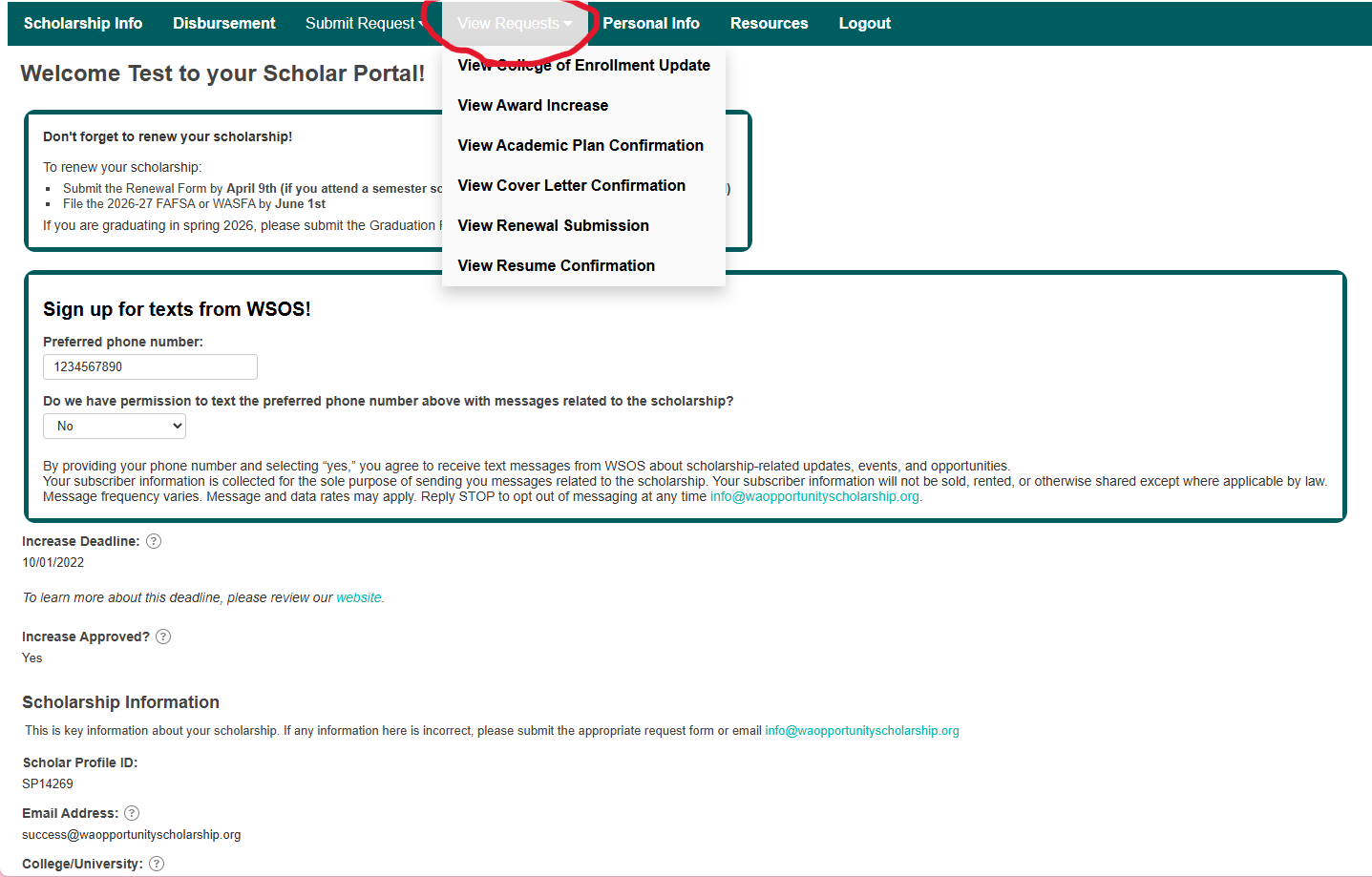
View Request page
If you hover over the “View Request” tab from the menu at the top and click on any option, you can view past requests you’ve submitted and their status.
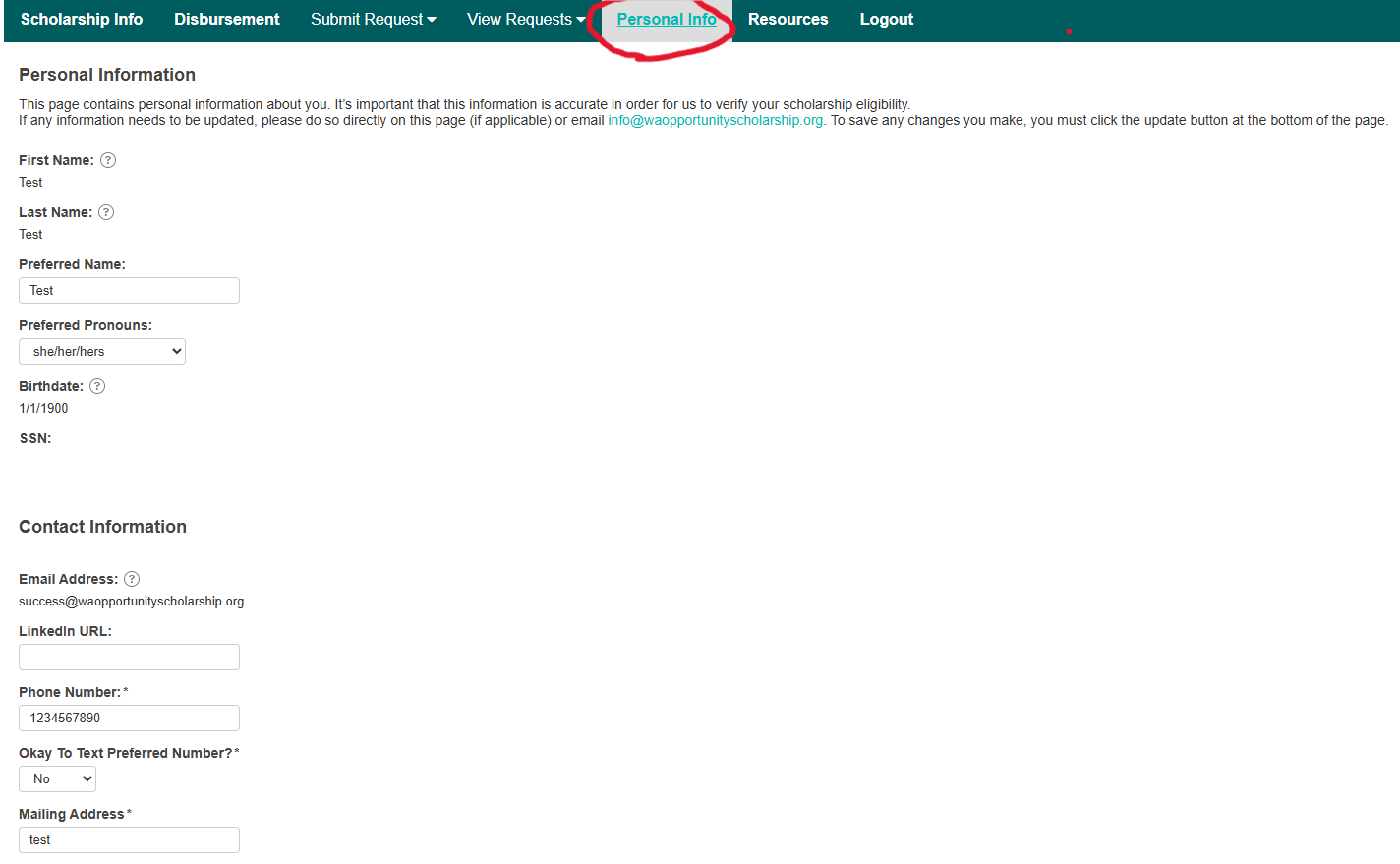
Personal info page
If you need to update your preferred name, phone number, pronouns, or mailing address, you can do so by clicking on the “Personal Info” tab from the menu at the top. To update your email address or any other information that you can’t directly update on the page, please email info@waopportunityscholarship.org.
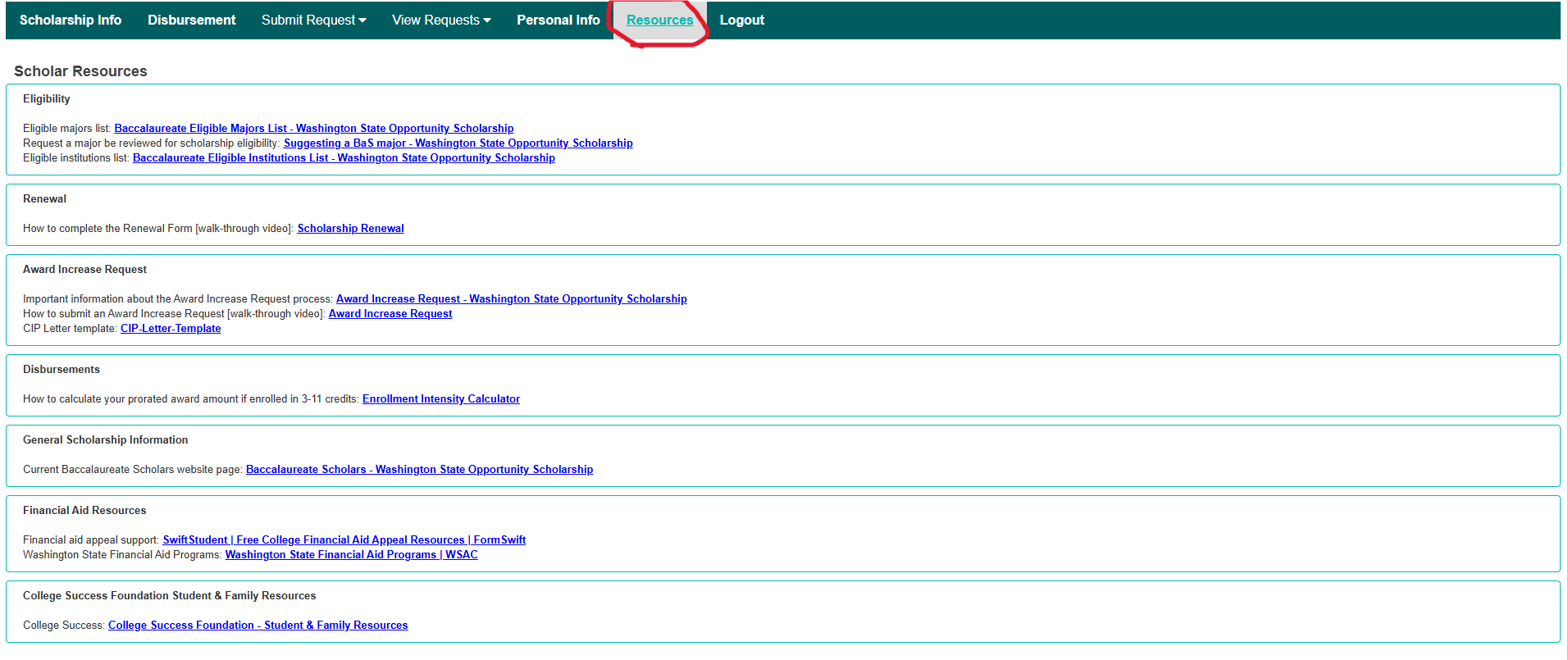
Resources page
To find helpful resources about your scholarship, how to submit required forms, and additional financial aid opportunities, click on the “Resources” tab from the menu at the top.
*Please note that the screenshots on this page may slightly differ from what you see in your Scholar Portal.